Valorant10 min readहिन्दी में पढ़ें
How to Download VALORANT: Step-by-Step Guide for PC (2026)
Learn how to download and install VALORANT for free on PC in India. Check system requirements, Riot account setup, Mumbai servers, download size, and common installation fixes.
By Rakesh KBuilding SquadAdda for the love of gaming.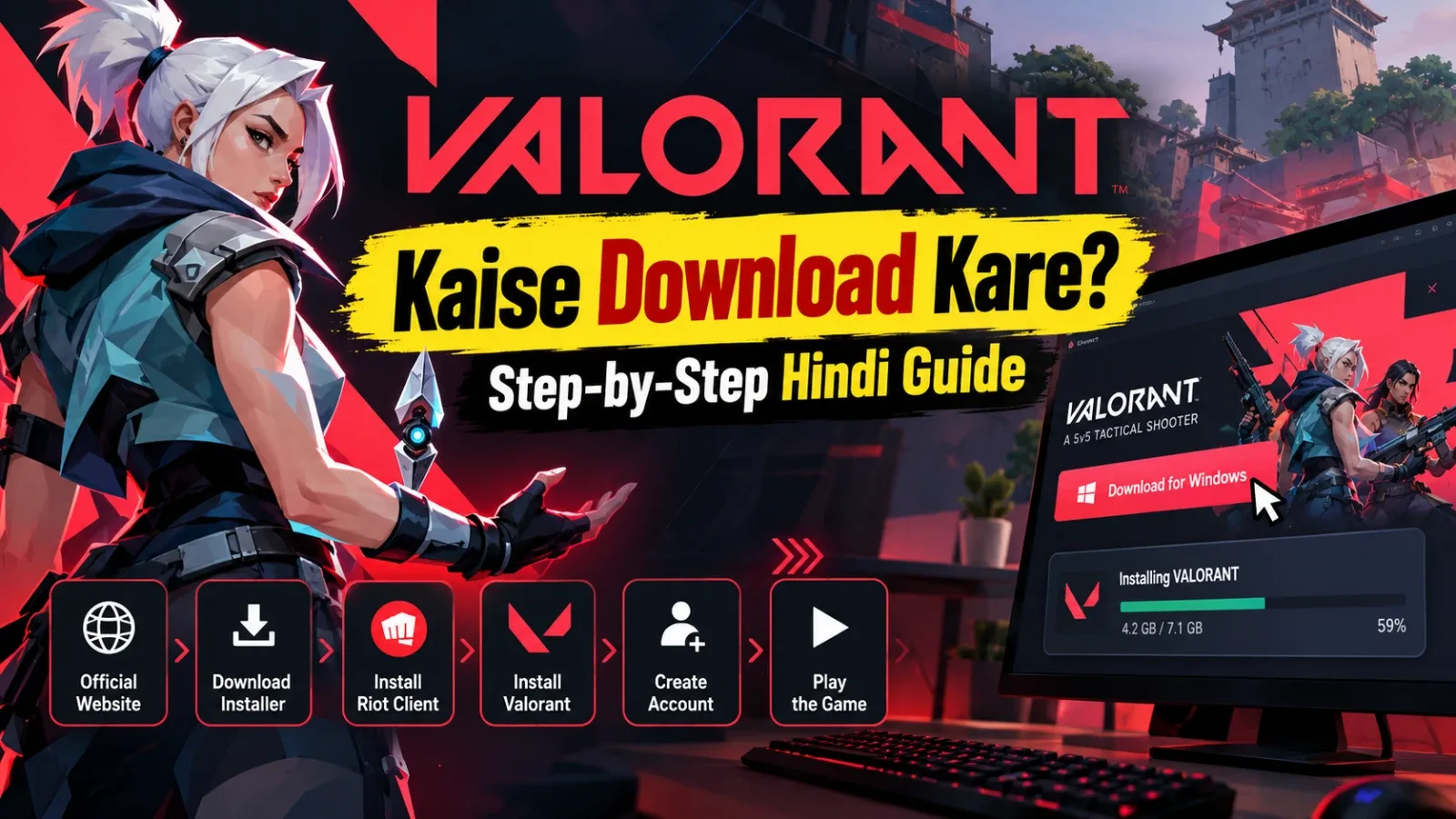
How to Download Valorant: Step-by-Step Guide for PC (2026)
Want to download and install VALORANT on your PC or laptop? This guide will walk you through the entire process. VALORANT is a popular free-to-play 5v5 tactical shooter developed by Riot Games.
In this guide, you'll learn how to download and install VALORANT, create a Riot account, select Indian servers, check system requirements, and fix common installation issues.
Official Download Website: https://playvalorant.com/
Direct Download and Install Steps
Follow these simple steps to download and install VALORANT on your Windows PC.
Step 1: Open the Official VALORANT Website
Open Chrome, Microsoft Edge, or any other web browser on your computer.
Visit the official VALORANT website:
Make sure you are using the official Riot Games website to avoid downloading fake or modified installers.
Step 2: Click Download for Windows
Look for the Download for Windows button on the website and click it.
The VALORANT installer will start downloading to your computer. Once the download is complete, open your Downloads folder and locate the installer file.
Step 3: Run the Installer
Double-click the downloaded installer file.
If Windows asks for permission, confirm the action. Allow the installer to set up the Riot Client on your computer.
Step 4: Install VALORANT
Once the Riot Client is installed:
-
Open the Riot Client.
-
Log in using your existing Riot account.
-
If you don't have an account, select Create Account.
-
Find VALORANT and click the Install button.
-
Wait for the game files to download and install.
Step 5: Create a Riot Account or Log In
If you don't already have a Riot account, visit:
https://account.riotgames.com/
To create a new account:
-
Enter your email address.
-
Provide your date of birth.
-
Create a username and password.
-
Complete the required email verification.
-
If phone verification is requested, enter your Indian mobile number with the +91 country code and verify it using the OTP.
Note: Phone OTP verification is not mandatory for every new Riot account. Additional verification may be requested depending on the account or security requirements.
Step 6: Launch VALORANT
After installation is complete, open the Riot Client and click Play.
During the first launch, Riot Vanguard Anti-Cheat may be installed. If the installer asks you to restart your PC, restart it and launch VALORANT again.
You're now ready to play!
System Requirements and Data Considerations
Before downloading VALORANT, check whether your PC or laptop meets the game's system requirements.
The good news is that VALORANT does not require an expensive gaming PC to run.
VALORANT Minimum and Recommended System Requirements
SpecificationsMinimum (30 FPS)Recommended (60 FPS)Operating SystemWindows 10 64-bit (19041+) / Windows 11Windows 10 64-bit (19041+) / Windows 11ProcessorIntel i3-540 / AMD Athlon 200GEIntel i3-4150 / AMD Ryzen 3 1200RAM4 GB4 GBGraphics CardIntel HD 4000 / Radeon R5 220NVIDIA GT 730 / Radeon R7 240VRAM1 GB1 GB
High-End Specifications (144+ FPS):
-
Processor: Intel i5-9400F / AMD Ryzen 5 2600X
-
Graphics Card: NVIDIA GTX 1050 Ti / AMD Radeon R7 370 / Intel Arc A310
-
RAM: 4 GB
Windows 11 also requires TPM 2.0 and UEFI Secure Boot.
Official specifications: https://playvalorant.com/en-us/specs/
How Much Data Does VALORANT Require to Download?
Riot Games does not publish a fixed current download size for VALORANT. Some websites mention approximately 7 GB, but this should not be treated as a verified current download size.
The actual download size can change with game updates. Check the download information displayed in the Riot Client before starting the installation.
Tips for Indian Mobile Internet Users:
-
Check your daily mobile data limit before downloading.
-
Use Wi-Fi or broadband whenever possible.
-
Pause other downloads and video streaming.
-
Keep additional data available for future game updates.
How to Check Available Storage on Your PC
Before installing the game, make sure you have enough free disk space.
-
Press Windows + E to open File Explorer.
-
Click This PC.
-
Check the available free space on your installation drive.
-
Remove unnecessary files if required.
-
Keep more free space than the amount displayed by the Riot Client.
Account Setup and Indian Server Selection
How to Create a Riot Account Using an Indian Mobile Number
To create a Riot account, visit:
https://account.riotgames.com/
Follow these steps:
-
Click Create Account.
-
Enter your email address.
-
Provide your date of birth.
-
Create a username and password.
-
Complete email verification.
-
If phone verification is required, select the +91 country code and enter your Indian mobile number.
-
Verify your number using the OTP.
Remember that an Indian mobile number is not mandatory for every Riot account.
How to Select the Indian Server in VALORANT
For players in India, the Mumbai server is a useful option for getting lower latency and a smoother gaming experience.
Follow these steps:
-
Launch VALORANT.
-
Open the Play menu.
-
Select your preferred game mode.
-
Check the Server Selection option before starting matchmaking.
-
Look for the Mumbai server.
-
Select an available server with a suitable ping.
Server availability may depend on your account region and party configuration.
How to Check VALORANT Ping in India
Ping measures the time taken for data to travel between your computer and the game server. Lower ping generally provides a better gaming experience.
PingGaming Experience0–30 msExcellent30–60 msGood60–100 msPlayableAbove 100 msNoticeable lag may occur
Your actual ping depends on your ISP, internet connection, and network routing.
To check server status and maintenance updates, visit:
How Much Do VALORANT Points Cost in India?
VALORANT is free-to-play, but players can purchase VALORANT Points (VP) to buy weapon skins, Battle Passes, and other cosmetic items.
VP bundle prices and availability can change over time. Always check the in-game Store for the latest INR pricing before making a purchase.
Available payment methods depend on Riot's checkout options and authorized sellers.
Authorized top-up option:
https://app.codashop.com/en-in/valorant
Common Issues and Troubleshooting for Indian Users
Sometimes, players may encounter problems while downloading, installing, or launching VALORANT. Here are some common issues and their possible solutions.
1. VALORANT Installer Gets Stuck
If the installation or download stops progressing:
-
Completely close the Riot Client.
-
Check Riot Client background processes in Task Manager.
-
Verify your internet connection.
-
Check available disk space.
-
Restart your PC and open the Riot Client again.
-
If the problem continues, contact Riot Support.
Official Support:
https://support-valorant.riotgames.com/
2. Windows Defender Blocks VALORANT
Sometimes, Windows Security or another antivirus program may incorrectly flag a game file as suspicious.
If this happens:
-
Open Windows Security.
-
Go to Protection History.
-
Check the blocked file details.
-
Verify the publisher and digital signature.
-
Only restore or allow the file if you have confirmed that it belongs to the official Riot installation.
Avoid completely disabling Windows Defender or your antivirus software.
3. Missing DirectX or Visual C++ Runtime Error
If VALORANT displays a missing DLL or runtime error during launch, you may need to check the relevant Windows components.
Use these official Microsoft resources:
-
DirectX: https://www.microsoft.com/en-us/download/details.aspx?id=8109
-
Microsoft Visual C++ Redistributable: https://learn.microsoft.com/en-us/cpp/windows/latest-supported-vc-redist
You do not necessarily need to reinstall both components for every error. First, identify the exact error message.
4. VPN-Related Login or Region Issues
If your Riot account displays an incorrect region or you experience login problems:
-
Disconnect your VPN and try logging in again.
-
Check the Region of Residence in your Riot account.
-
Contact Riot Support if you need a region correction.
Using a VPN does not automatically change your Riot account region to India.
Getting Started In-Game
If you're playing VALORANT for the first time, spend some time understanding the gameplay mechanics before jumping into competitive matches.
First-Time Players: Complete the Tutorial
After launching the game for the first time, complete the introductory tutorial.
Then visit the Practice Range and work on:
-
Aim and crosshair control.
-
Shooting and recoil control.
-
Agent abilities.
-
Movement and map awareness.
-
Spike planting and defusing.
Beginners should start with casual modes such as Unrated or Swiftplay before moving into competitive matches.
Best Graphics Settings for Low-End PCs
If you're experiencing low FPS or frame drops, try these graphics settings.
Graphics SettingRecommendedDisplay ModeFullscreenResolution1920 × 1080 or lowerMaterial QualityLowTexture QualityLowDetail QualityLowUI QualityLowVSyncOffAnti-AliasingNoneAnisotropic Filtering1xImprove ClarityOffBloomOffDistortionOffCast ShadowsOff
Additional Tips to Improve FPS:
-
Keep your graphics drivers updated.
-
Close unnecessary background applications.
-
Enable Performance Mode on laptops.
-
Set Windows Power Mode to Best Performance.
-
Keep your laptop plugged in while gaming.
How to Enable Hindi Language in VALORANT
The official PC version of VALORANT does not currently offer a Hindi interface.
You can select another supported language through the available language settings.
To change the language:
-
Open the Riot Client or game settings.
-
Go to the General Settings section.
-
Look for the Language option.
-
Select an available language.
-
Restart the game or client if required.
How to Chat in Hindi in VALORANT
You can communicate with your teammates in Hindi even if the game interface is in English.
-
Type Hindi using Roman English in text chat.
-
Use Team Voice Chat to speak in Hindi.
-
Use English gaming callouts when needed.
Examples:
-
Enemy is at A Site.
-
I'm planting the Spike.
-
Enemies are coming from B Main.
Join a Squad with SquadAdda
Playing VALORANT with friends can make the experience even more enjoyable. If you don't have regular teammates, you can explore gaming communities and teammate-finding options on SquadAdda.
Explore the VALORANT Game Page:
https://squadadda.com/en/games/valorant
Find Your Gaming Crew:
Visit the SquadAdda /crew page to explore available community and teammate-finding features. Connect with other gamers and try building your own VALORANT squad.
Tips for Better Team Coordination
-
Use short and clear voice callouts.
-
Communicate enemy locations immediately.
-
Keep teammates informed about the Spike's location.
-
Coordinate Agent abilities with your team.
-
Avoid toxic behaviour and focus on teamwork.
Frequently Asked Questions (FAQ)
1. How Much Is the VALORANT Download Size?
Riot Games does not publish a fixed current download size. Check the actual size displayed in the Riot Client. It may change with game updates.
2. How Can I Download VALORANT for Free on PC?
Visit https://playvalorant.com/, click Download for Windows, install the Riot Client, and download VALORANT through the client. The game is free-to-play.
3. Is VALORANT Available on Consoles?
Yes. VALORANT is available on PlayStation 5 and Xbox Series X|S. However, console access is limited to supported regions. Check Riot's official information for regional availability.
4. How Do I Create a Riot Account?
Visit https://account.riotgames.com/, enter your email address and date of birth, create a username and password, and complete the required verification. Indian mobile OTP verification is not mandatory for every account.
5. How Can I Check VALORANT Server Ping in India?
Open the Server Selection menu in the game and check the ping displayed for the Mumbai server. Lower ping generally provides smoother gameplay.
6. What Are the Recommended System Requirements for VALORANT?
For the recommended 60 FPS experience:
-
Processor: Intel i3-4150 / AMD Ryzen 3 1200
-
RAM: 4 GB
-
Graphics Card: NVIDIA GT 730 / AMD Radeon R7 240
-
Operating System: Windows 10 64-bit or Windows 11 64-bit
Windows 11 also requires TPM 2.0 and UEFI Secure Boot.
7. When Does VALORANT Server Maintenance Happen in India?
Riot does not have one fixed daily maintenance time in IST. Maintenance schedules and patch timings can change.
Check the official Riot Service Status page for updates:
Conclusion
VALORANT is a great free-to-play tactical shooter for PC gamers in India. Download the game from the official Riot Games website, check your PC's system requirements, and select a suitable server for a better gaming experience.
If you need teammates, explore gaming communities on SquadAdda and start building your own gaming crew.
Useful Links:
-
Official VALORANT Download: https://playvalorant.com/
-
Riot Account: https://account.riotgames.com/
-
VALORANT Support: https://support-valorant.riotgames.com/
-
SquadAdda VALORANT: https://squadadda.com/en/games/valorant
-
SquadAdda Crew: https://squadadda.com/en/crew